Financial planning software

All your money in one place, and a plan that does the math.

Stop juggling logins, statements and spreadsheets. Add what you have once, follow five setup steps, and see your net worth, your goals and where your plan leads, year by year.

Opening soonSee what you get
Sign-up opens soon. Working with an advisor is open now.
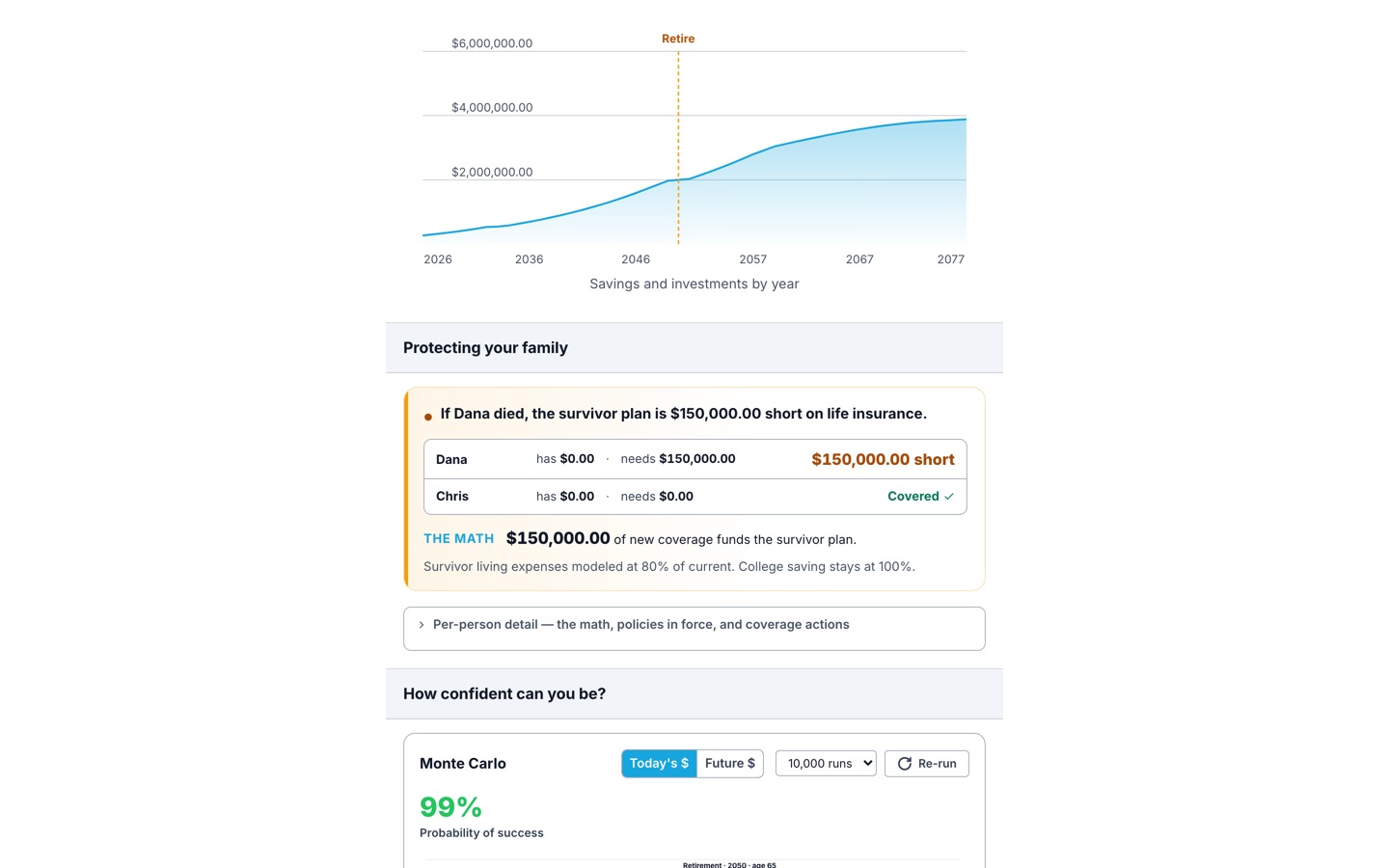
Example: a plan in Advisor Pro on a laptop
Example: the Advisor Pro home screen on a phone
Example screens
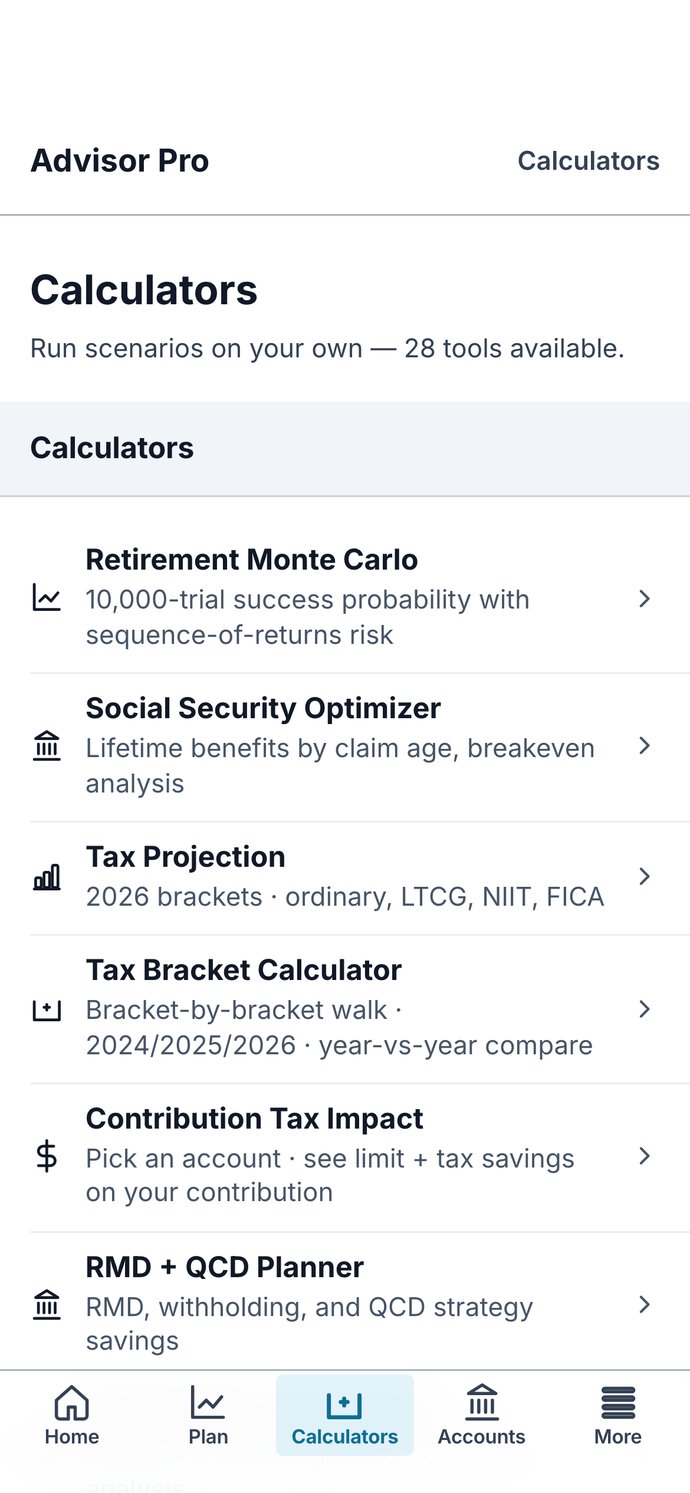
28calculators, the ones advisors use
Year by yeara projection of your plan that moves when you do
Monthlybilling, cancel any time
The problem

Your money shouldn’t take your whole weekend.

It’s spread out.Checking at one bank, a 401(k) at work, an old IRA, a mortgage, a car loan. Each has its own login and its own statement, and none of them shows the whole picture.
You can’t tell if you’re saving enough.Retirement, college, a rainy-day fund. Without the math, each goal is a guess, and it’s hard to know which one to fund first.
Doing it yourself takes forever.Spreadsheets break, articles disagree, and paying an advisor just to get started costs more than many people want to spend.
How Advisor Pro fixes it

Organized, saving with a purpose, and done in less time.

Get organized

Everything you own and owe, on one screen.

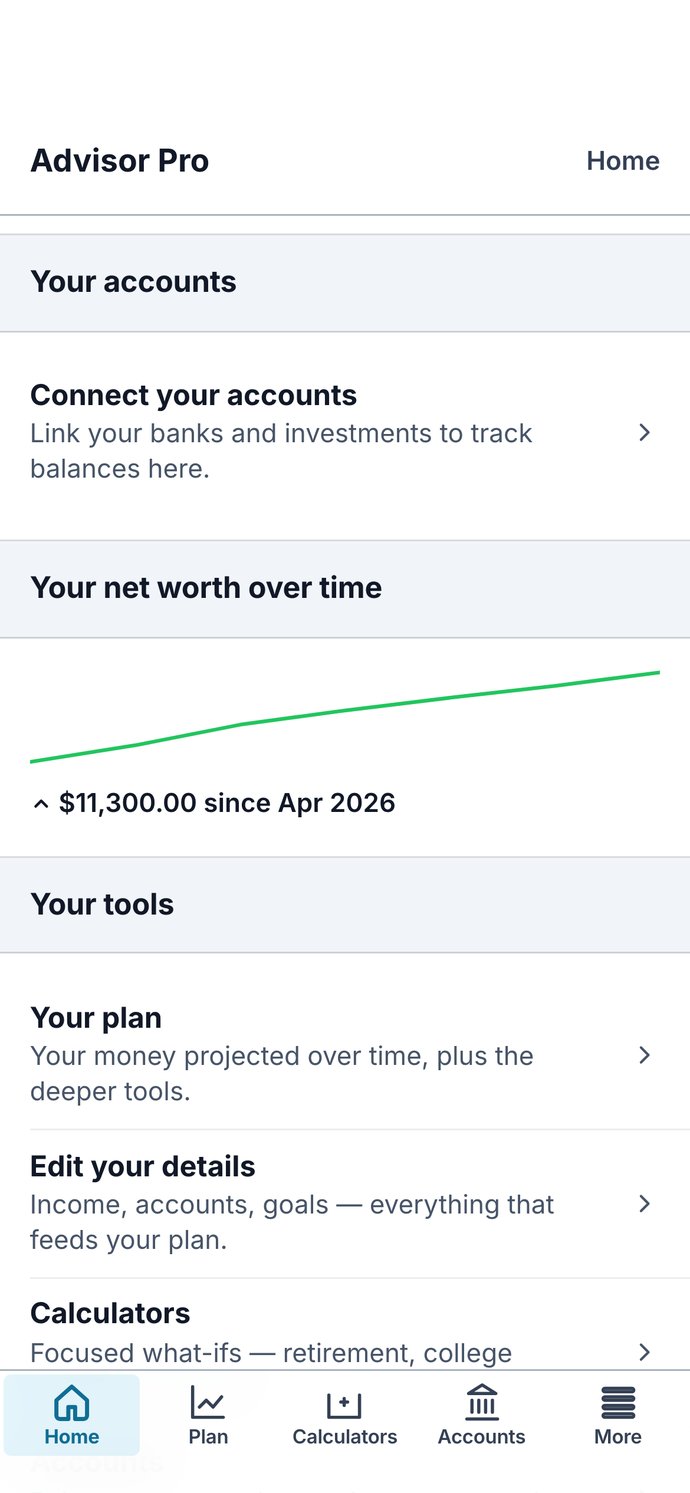
Add each account and debt once. Your net worth is added up for you, and a chart shows how it changes month to month. On Plus, connect your bank and investment accounts and their balances come in on their own.

Example: accounts and net worth in Advisor Pro
Save with a purpose

Know what to save, and what it’s for.

Set each goal with a target and a year. Your plan shows what you’re saving each month and whether you’re on track. The calculators show what a Roth, a W-4 change or a faster debt payoff would mean for you.

Example: a plan with goals in Advisor Pro
Get your time back

Five steps, then the math runs for you.

A short checklist gets you set up, and the app always shows your one next step. After that, the projection, the checkup and 28 calculators do the work a spreadsheet would make you build.

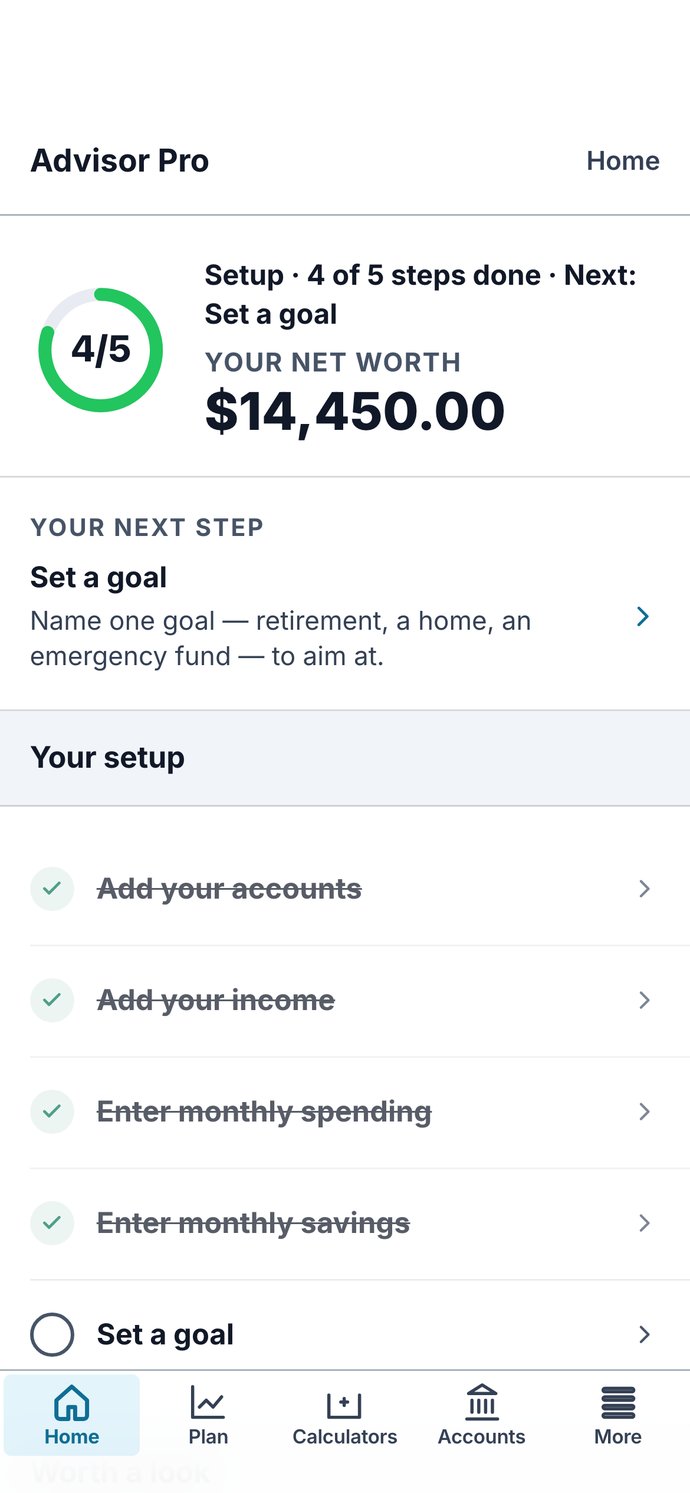
Example: the setup checklist and next step in Advisor Pro
See what you get

The app, screen by screen.

Example: Home in Advisor Pro
HomeSetup progress, your net worth and your next step.Every plan
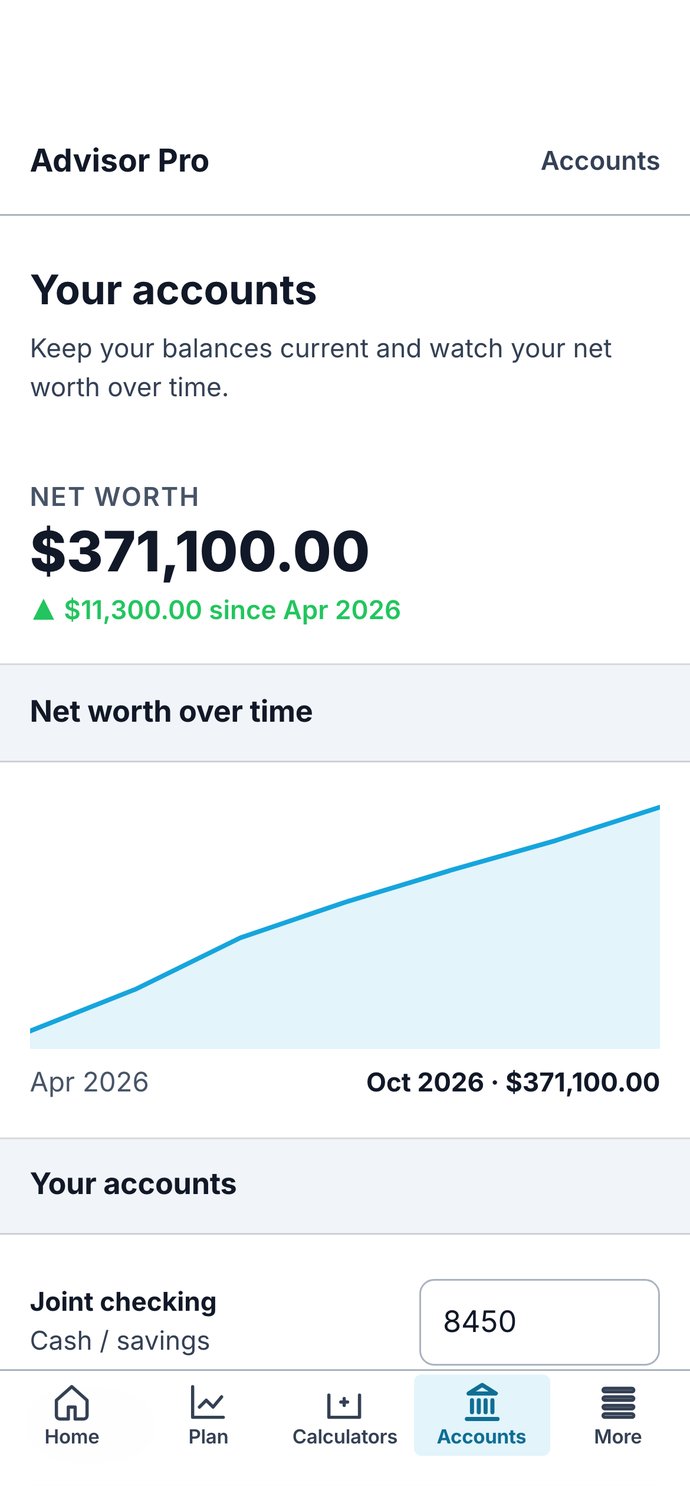
Example: Accounts and net worth over time in Advisor Pro
Accounts and net worth over timeEvery balance, added up, and how it’s changed.Every plan · connecting accounts is Plus
Example: Your plan in Advisor Pro
Your planWhere your money is headed, and whether you’re on track.Full plan and Plus
Example: 28 calculators in Advisor Pro
28 calculatorsSocial Security, Roth, college, mortgage, debt payoff and more.Full plan and Plus
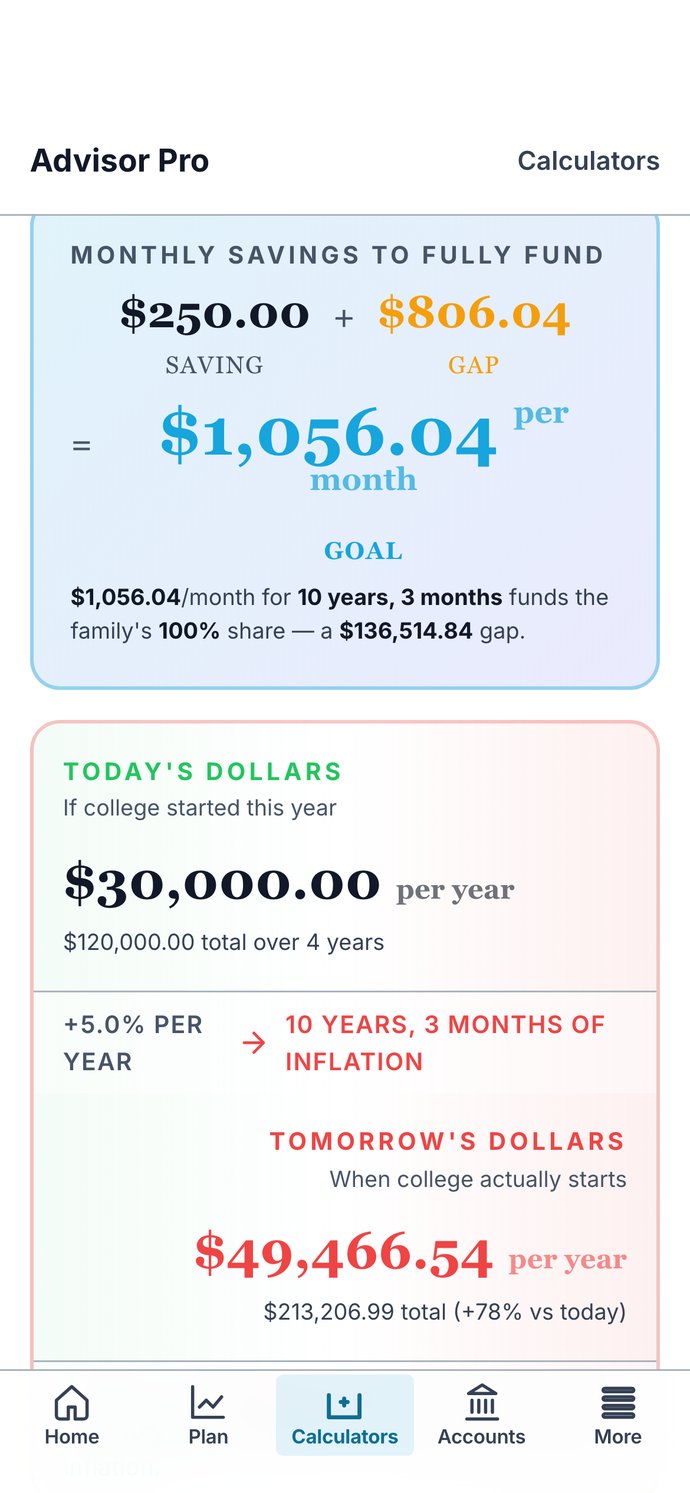
Example: College 529 in Advisor Pro
College 529What a child’s college fund needs, from your own numbers.Full plan and Plus
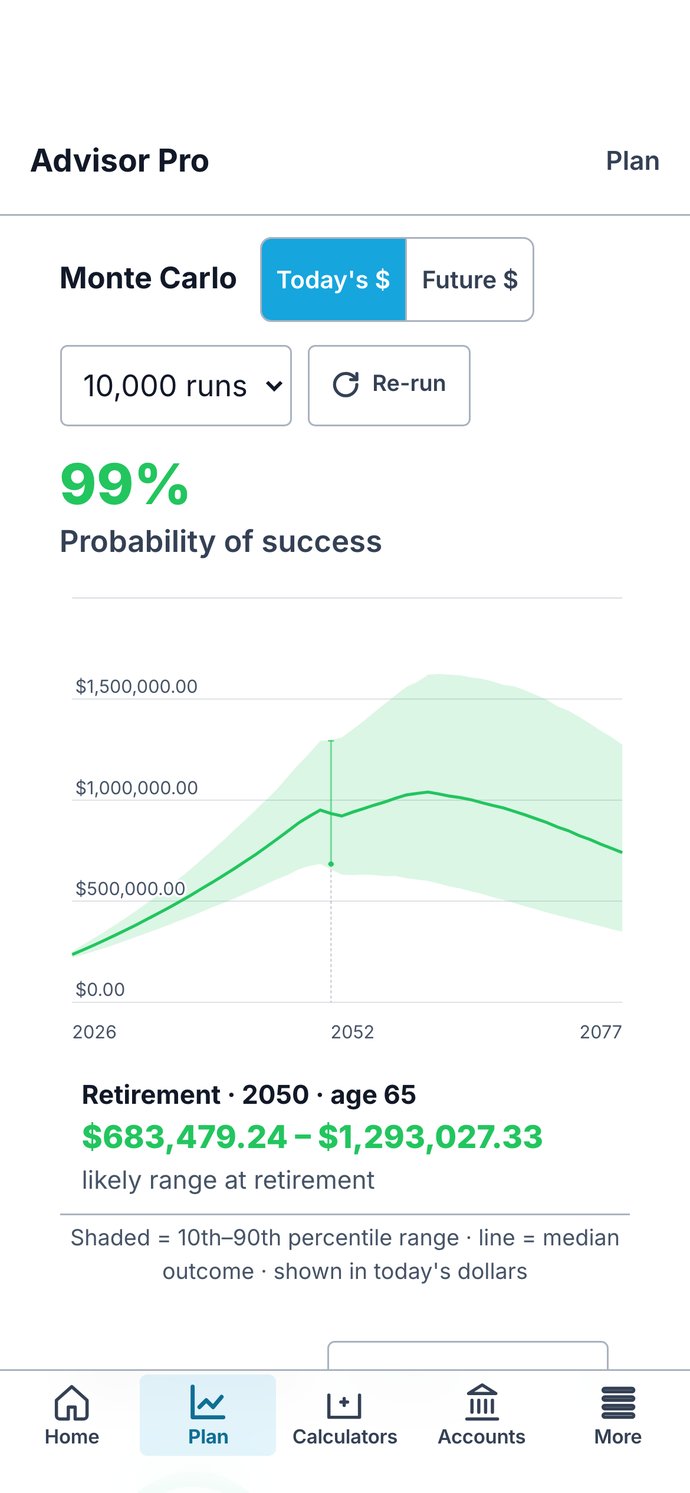
Example: Monte Carlo and One-Page Plan in Advisor Pro
Monte Carlo and One-Page PlanHow confident your plan is, and all of it on one page.Plus
Swipe for more. Example screens.
How people use it

Two kids, two jobs, and money in ten places.

Dana, 41, and Chris, 43 · Full plan

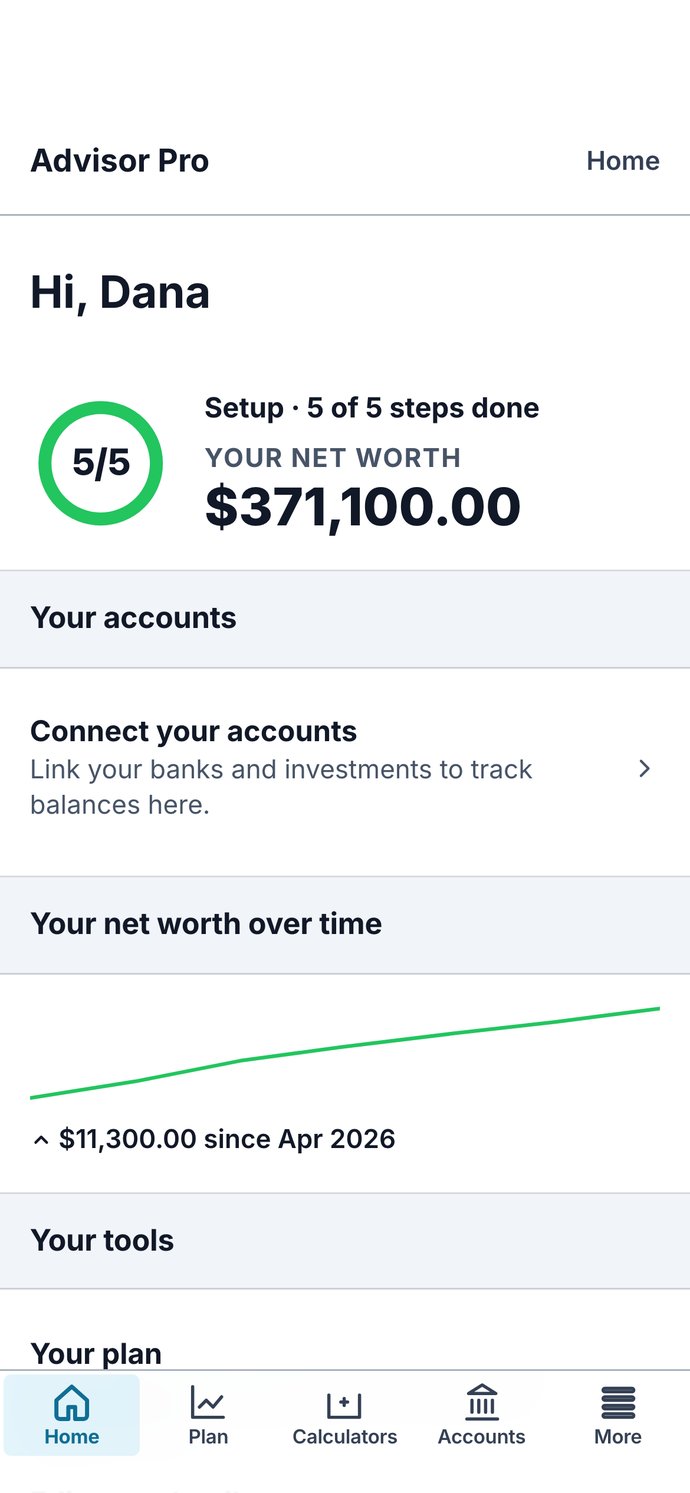
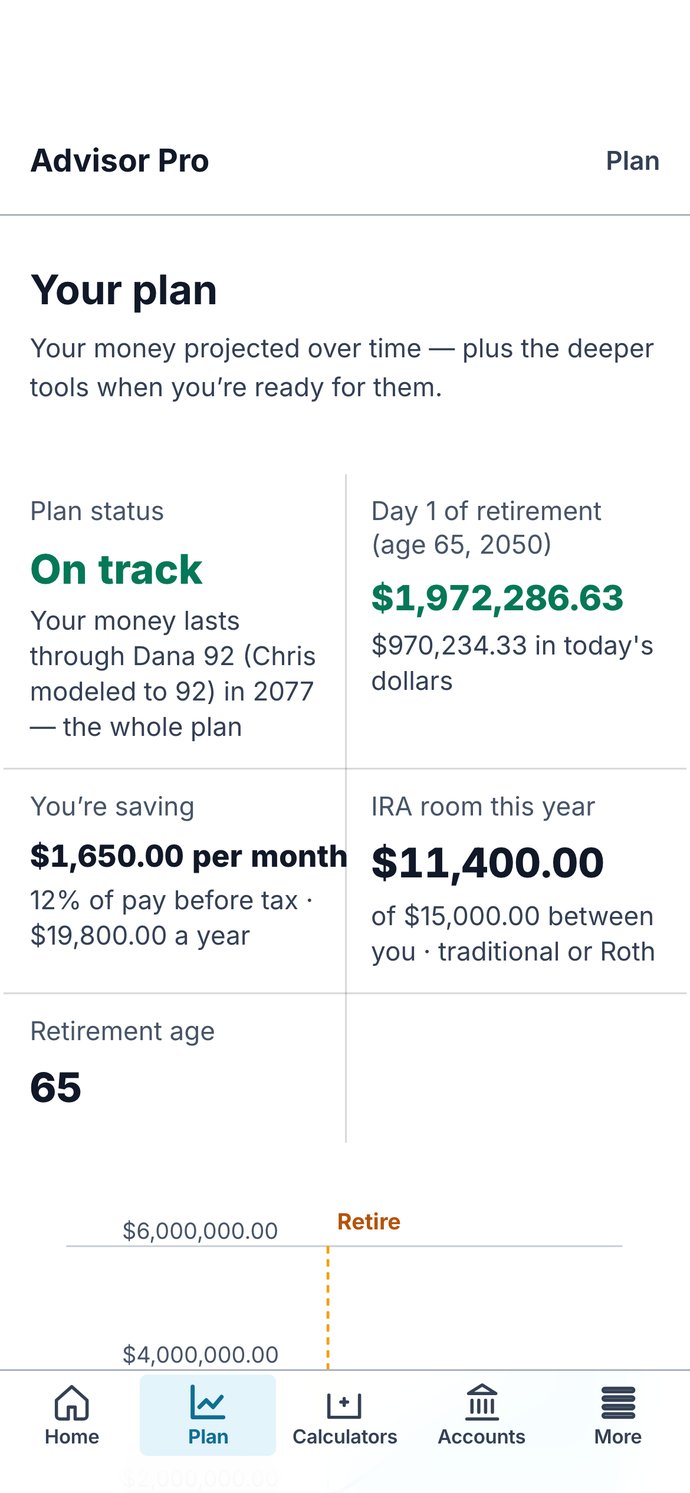
Dana kept their accounts in a spreadsheet she updated when she remembered. She added their checking and savings, two 401(k)s, a Roth IRA, the kids’ 529, the house, the car, the mortgage and the car loan, and their net worth showed up on one screen. She set goals for college and an emergency fund, then used the college calculator to see what their son’s fund needs each month.
AccountsGoalsCollege 529
Example: Dana's accounts and net worth
Example: Dana's college calculator

58, and wants a date.

Marcus, 58 · Full plan

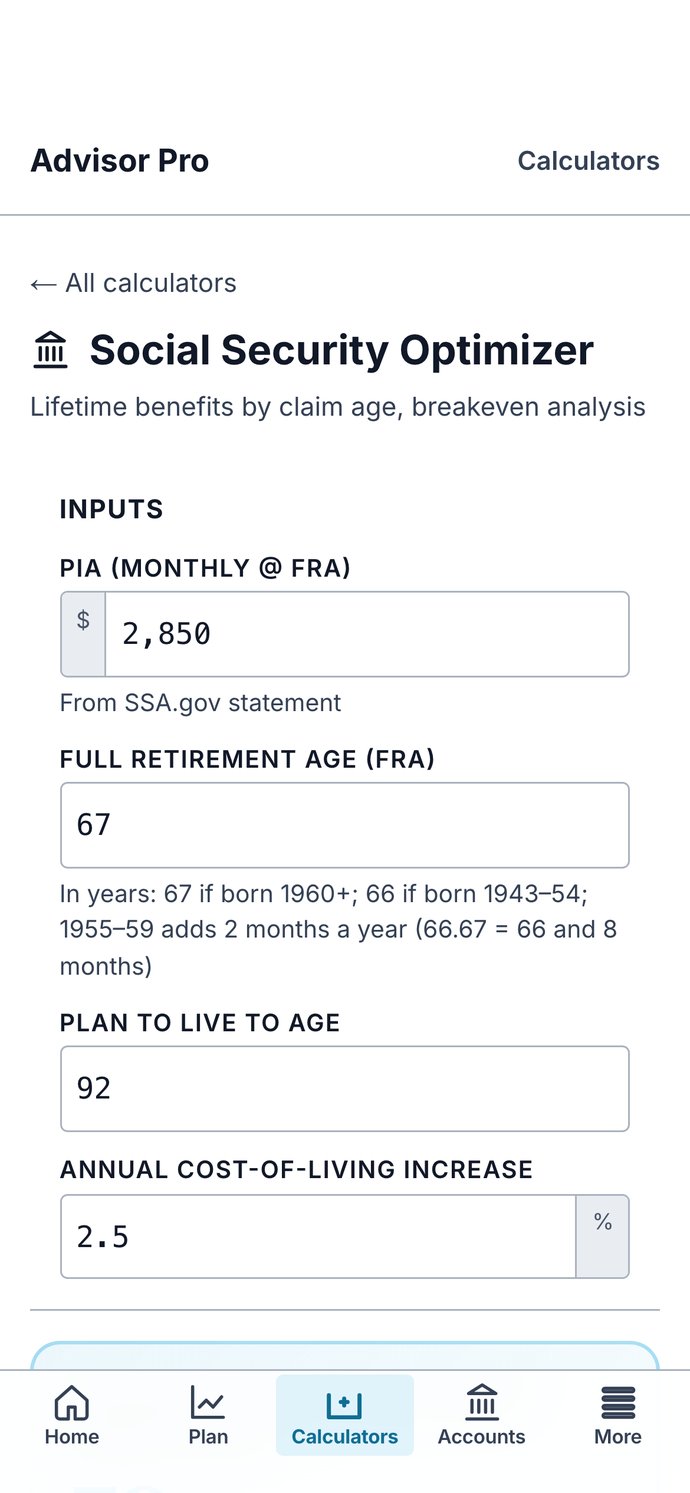
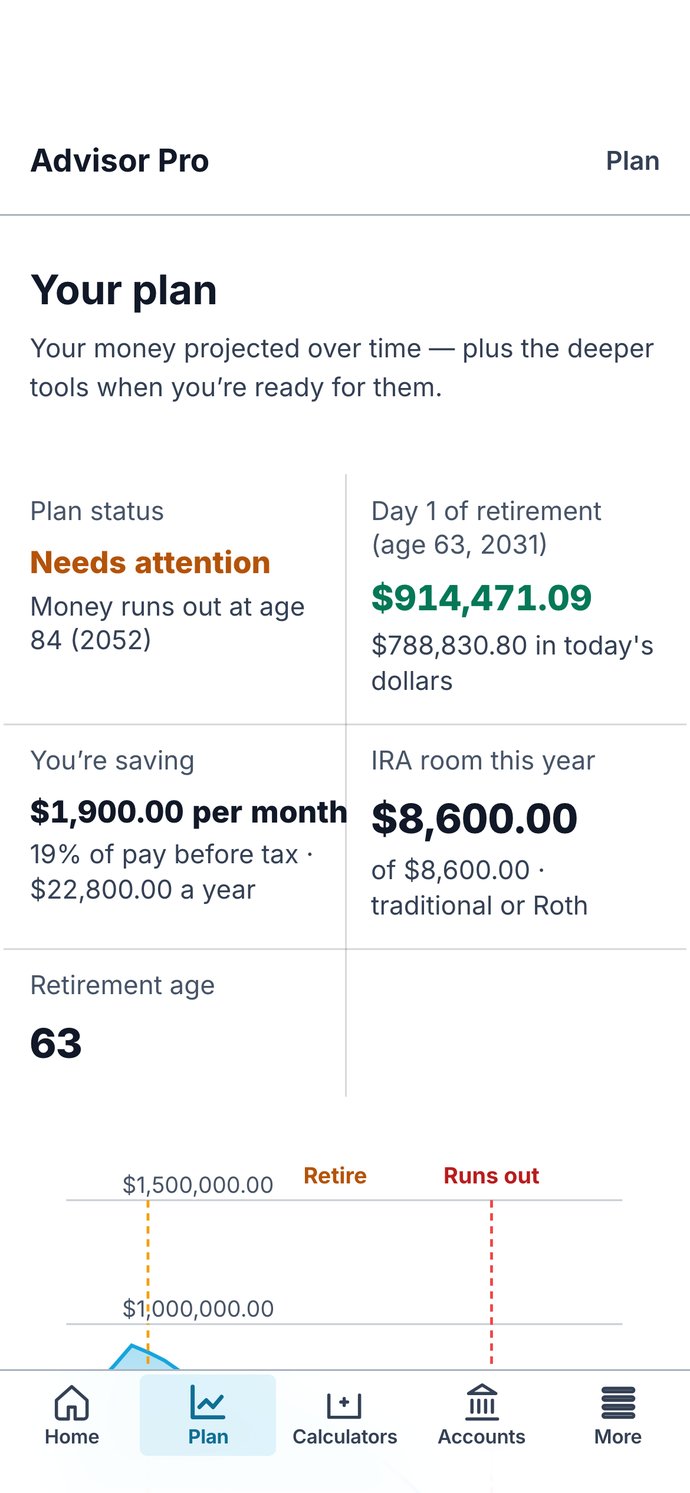
Marcus wanted to know if he could stop working at 63. He entered his 401(k), his IRA, his brokerage account and his checking, what he earns, spends and saves each month, and his Social Security estimate. At 63, his plan says Needs attention: his money runs out at 84. He can move the age and see the plan again, and the Social Security calculator shows the claiming age with the highest lifetime total. When he wanted a second opinion, he asked for an advisor from inside the app.

Your planSocial Security OptimizerAsk for an advisor
Example: Marcus's plan, Needs attention
Example: Marcus's Social Security calculator

29, and her first real paycheck.

Priya, 29

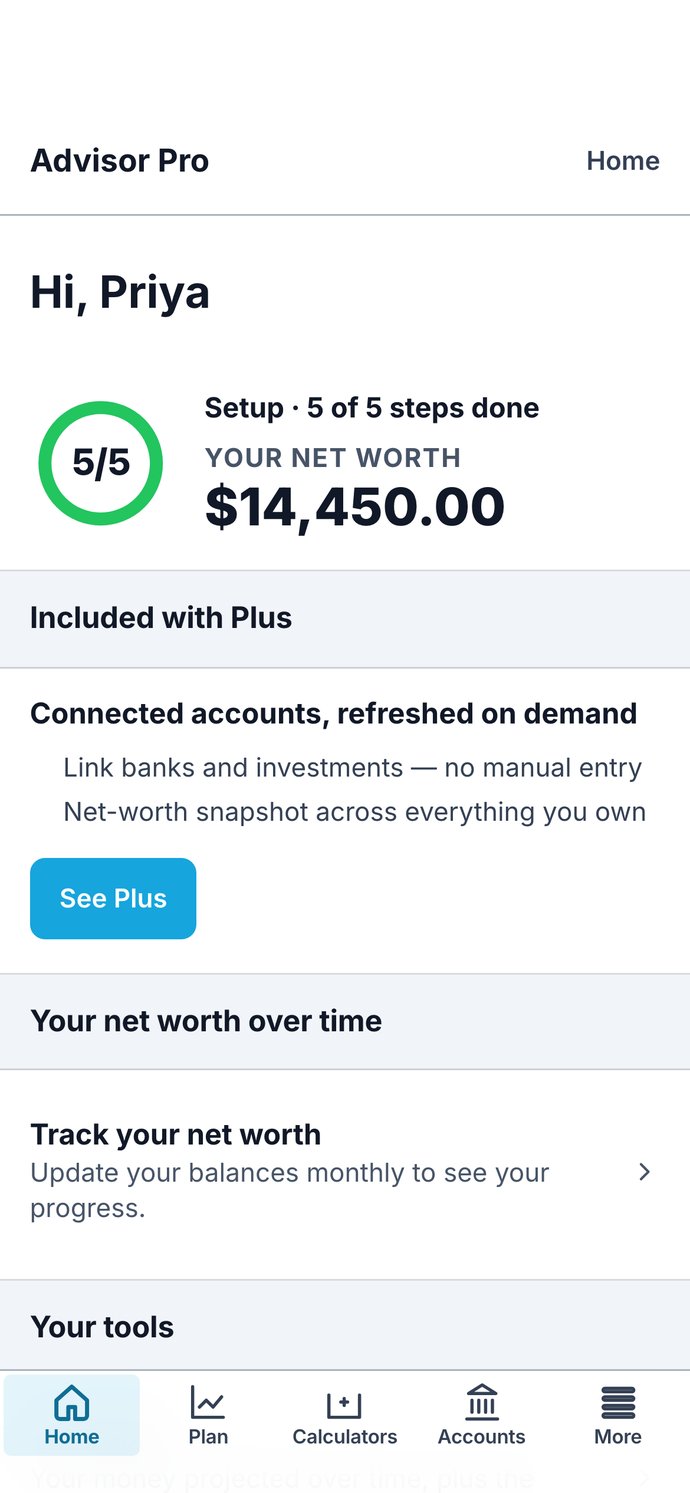
Priya had a little in checking, a 401(k) from her new job and almost nothing set aside for emergencies. She worked through the setup steps, and her checkup pointed out the one thing still missing: a goal. She set one, $12,000.00 in emergency savings by 2028, and her setup was done.

Setup checklistCheckupGoals
Example: Priya's setup checklist
Example: Priya's setup, done

These are made-up people, used to show how Advisor Pro works. They are not real customers, and nothing here is a result anyone got. The screens are the real app showing their example numbers.

Two ways to use it

Do it yourself, or do it with an advisor.

Advisor Pro

Do it yourself

  • Billed monthly
  • Full plan now, Plus when you want more
  • Nobody calls you
  • Ask for an advisor from inside the app, any time
Monthly · paid plans billed monthly, cancel any timeOpening soon
Sickle Hunter Financial Advisors

Work with an advisor

  • Financial Planning Framework
  • Advice when you need it without the fluff.
  • Getting-started, goal-setting and action sessions; two 30-minute calls a year; a review after six months
  • The same planning portal, set up with you
$250.00 a month · annual commitment · extra sessions $150.00 an hourSee the plan
How it works

Three steps, then keep it current.

1
Enter what you haveAccounts, income, expenses and goals. Type them in, or connect your banks on Plus.
2
See where it leadsA year-by-year projection, a financial health checkup, and the gaps it finds.
3
Change courseMove a retirement age, a savings rate or a goal and watch the plan move. Bring in an advisor when you want one.
The tools

28 calculators, the ones advisors use.

Retirement
  • Retirement Monte Carlo
  • Social Security Optimizer
  • Safe Withdrawal + Guardrails
  • Pension Lump vs Annuity
  • RMD Projection
  • RMD + QCD Planner
  • Roth Conversion Ladder
  • Roth vs Traditional 401(k)
  • Backdoor Roth Planner
  • HSA Stealth Roth
  • NUA Calculator
Taxes
  • Tax Projection
  • Tax Bracket Calculator
  • Contribution Tax Impact
  • Social Security Taxation
  • IRMAA Medicare Planner
  • Paycheck Calculator
  • W-4 Adjuster
Insurance and debt
  • Life Insurance (DIME)
  • Disability Gap
  • Emergency Fund Target
  • Debt Avalanche vs Snowball
  • Mortgage & Payoff
  • 529 College Funding
Self-employed
  • Solo 401k vs SEP vs SIMPLE
  • S-Corp Reasonable Comp
  • Self-Employment Tax
  • QBI 199A Deduction
Pricing

One plan for the whole picture, Plus for connected accounts.

Full plan MOST POPULAR

Billed monthly
  • Enter your accounts, income, expenses and goals
  • Year-by-year projection of your plan
  • All 28 calculators
  • Your plan page: where your money is headed and whether you’re on track
  • Financial health checkup and net worth
Opening soonSign-up opens soon.

Plus

Coming soon
  • Everything in Full plan
  • Connect your bank and investment accounts; balances stay current
  • Monte Carlo, One-Page Plan and Human Life Value
Coming soon
Questions
Is this financial advice?No. Advisor Pro is software and education. It shows you your own numbers and what the math says. If you want advice, ask for an advisor from inside the app.
Do I need to talk to anyone?No. Sign up, enter your numbers, and use it. Nobody calls unless you ask.
Can I cancel?Yes, any time, from inside your account. What you entered stays.
What does Plus connect?Your bank and investment accounts, through the bank’s own sign-in. Your bank password never reaches us; balances stay current on their own.
Advisor Pro

Advisor Pro is software for your own planning. It is not financial, tax or legal advice, and using it does not make you a client of any advisory firm. Investment advice is offered only by Sickle Hunter Financial Advisors, Inc., a registered investment adviser, under a signed agreement.

© 2026 Travis Sickle Media. All rights reserved.